Export ASH Report
PMP4PG allows you to generate and export a complete ASH report as a standalone HTML file. The exported report captures all the analysis panels for the selected time window and can be shared, archived or reviewed offline without access to the platform.
Generating the Report
Step 1 — Select the Time Window
Before generating the report, set the time window you want to analyze:
- Select a sliding window (last 15 min, 30 min, 1h, 2h, 4h, 8h)
- Or zoom into a specific interval on the Activity Timeline
The report will cover exactly the period displayed in the viewer.
{screenshot: ash-report-time-window-selection}
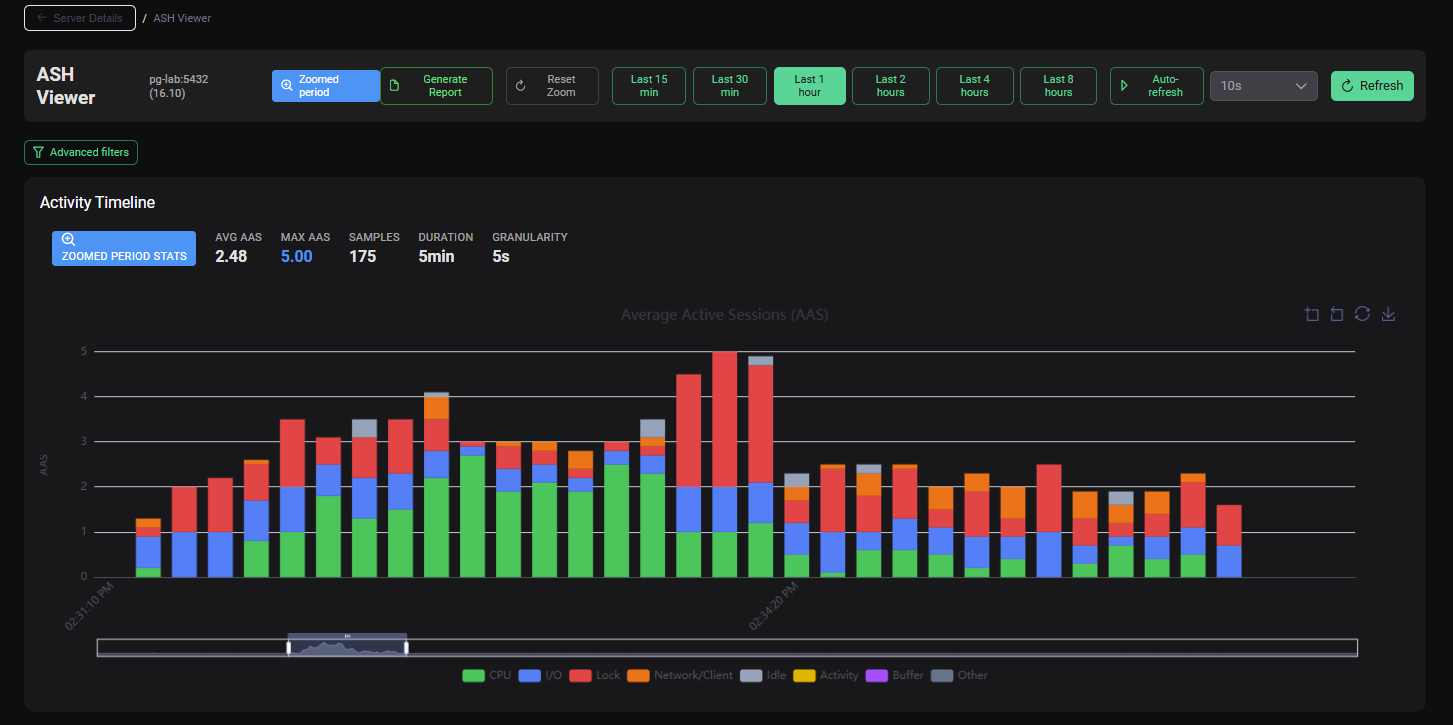
Step 2 — Click Generate Report
Click the Generate Report button in the top-left of the ASH Vieweri header.
The backend generates the report from the stored ASH samples for the selected period.
Step 3 — Download the HTML File
The browser downloads the generated HTML file automatically:
ASH_Report_a4e651ce-c4c2-40a1-b48e-a116d822a51c_2026-04-07_14-42-20_to_2026-04-07_15-42-20.html
The filename includes the server name and the time range covered.
Report Contents
The exported HTML file is fully self-contained — all styles, data and charts are embedded. No internet connection or platform access is required to view it.
The report includes:
| Section | Content |
|---|---|
| Report Header | Server name, time range, generation timestamp, PostgreSQL version |
| Activity Timeline | Static chart of session activity over the period |
| Top SQL | Top 10 queries by executions, total time and average time |
| Top Wait Events | Wait event distribution table and chart |
| Session States | Session state breakdown |
| Top Dimensions | Top users, applications, databases |
| Lock Contention | Blocking session pairs observed during the period |
Use Cases
| Use Case | How ASH Report Helps |
|---|---|
| Post-incident review | Share a precise record of what was happening during an incident |
| Performance audit | Provide a DBA with a time-bounded activity snapshot |
| Capacity planning meeting | Attach an ASH report to illustrate workload patterns |
| Change validation | Compare ASH reports before and after a deployment |
| Archive | Store point-in-time activity snapshots for compliance or reference |