Real-Time Activity
The ASH Viewer is the real-time monitoring centerpiece of PMP4PG. It lets you observe your PostgreSQL instance's activity as it happens, with sub-minute granularity.
Accessing the ASH Viewer
From the Server Detail page, click ASH Viewer for the server you want to monitor.
Time Window Selection
The ASH Viewer supports two operating modes:
Live Mode
In Live mode, the viewer continuously polls the backend for the latest ASH samples and updates all panels automatically.
Select a refresh interval from the dropdown:
| Interval | Use Case |
|---|---|
| 5 seconds | Active incident investigation — high refresh rate |
| 10 seconds | Routine real-time monitoring |
| 30 seconds | Light monitoring during normal operations |
| 60 seconds | Low-overhead background monitoring |
| OFF | Disable Auto-refresh |
| MANUEL | Manual Refresh by clicking Refresh button |
{screenshot: live-mode-refresh-selector}

Sliding Window Mode
In Sliding Window mode, the viewer displays activity over a recent time window without continuous refresh. Select a predefined window:
| Window | Description |
|---|---|
| Last 15 minutes | Very recent activity |
| Last 30 minutes | Short-term view |
| Last 1 hour | Recent hour analysis |
| Last 2 hours | Medium-term view |
| Last 4 hours | Half-workday view |
| Last 8 hours | Full workday or shift view |
Custom Time Range (Zoom)
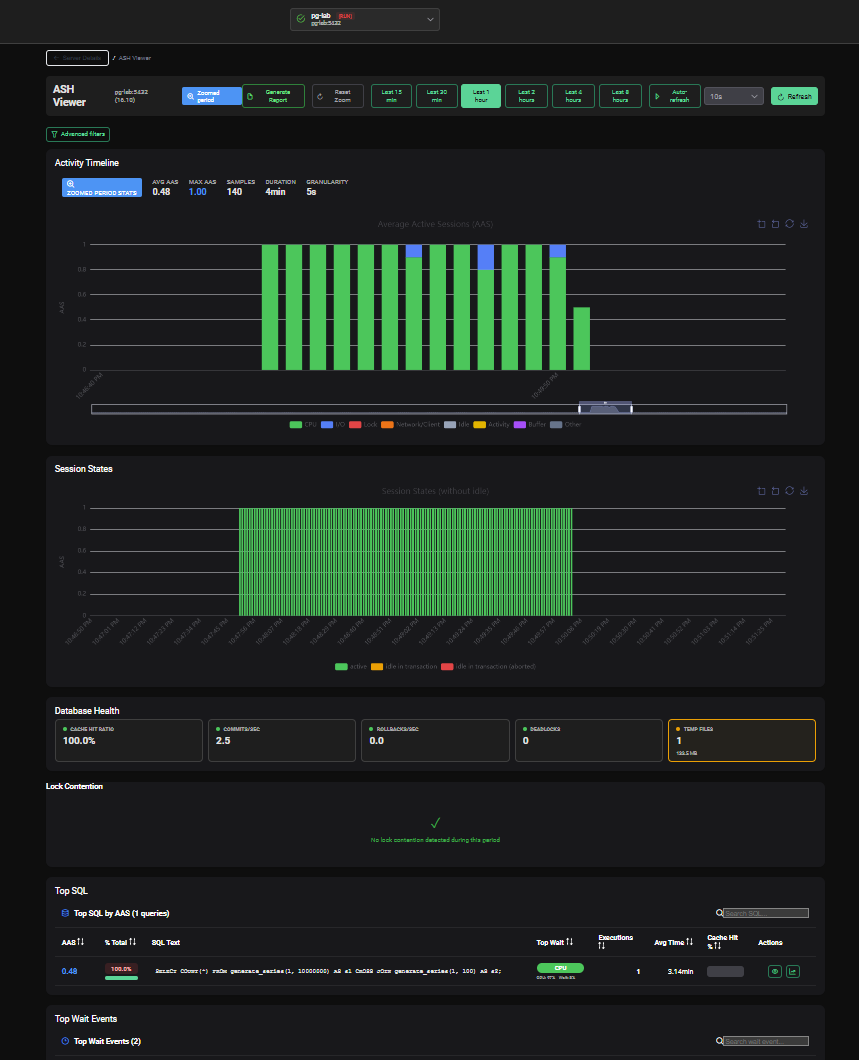
In any mode, you can zoom into a specific time interval by clicking and dragging on the Activity Timeline chart. The selected range is highlighted, and all panels below update to reflect only that interval.
To reset the zoom, click Reset Zoom or select a new time window from the selector.
Page Sections
The ASH Viewer page is composed of several analysis panels, all driven by the same selected time window:
| Panel | Description |
|---|---|
| Activity Timeline | Interactive chart of active sessions over time |
| Top SQL | Top 10 queries by execution count, time or average time |
| Top Wait Events | Distribution of wait event types |
| Session States | Breakdown of active, idle and idle-in-transaction sessions |
| Top Dimensions | Top users, applications, databases, client hosts |
| Lock Contention | Blocking and blocked session pairs |
Each panel is described in detail in the following pages.
Selecting a Different Server
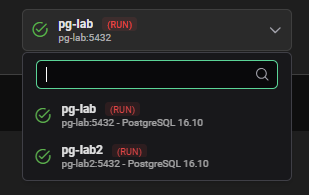
Use the server selector dropdown at the top of the page to switch to a different monitored server without navigating back to the dashboard. The selected time window is preserved.